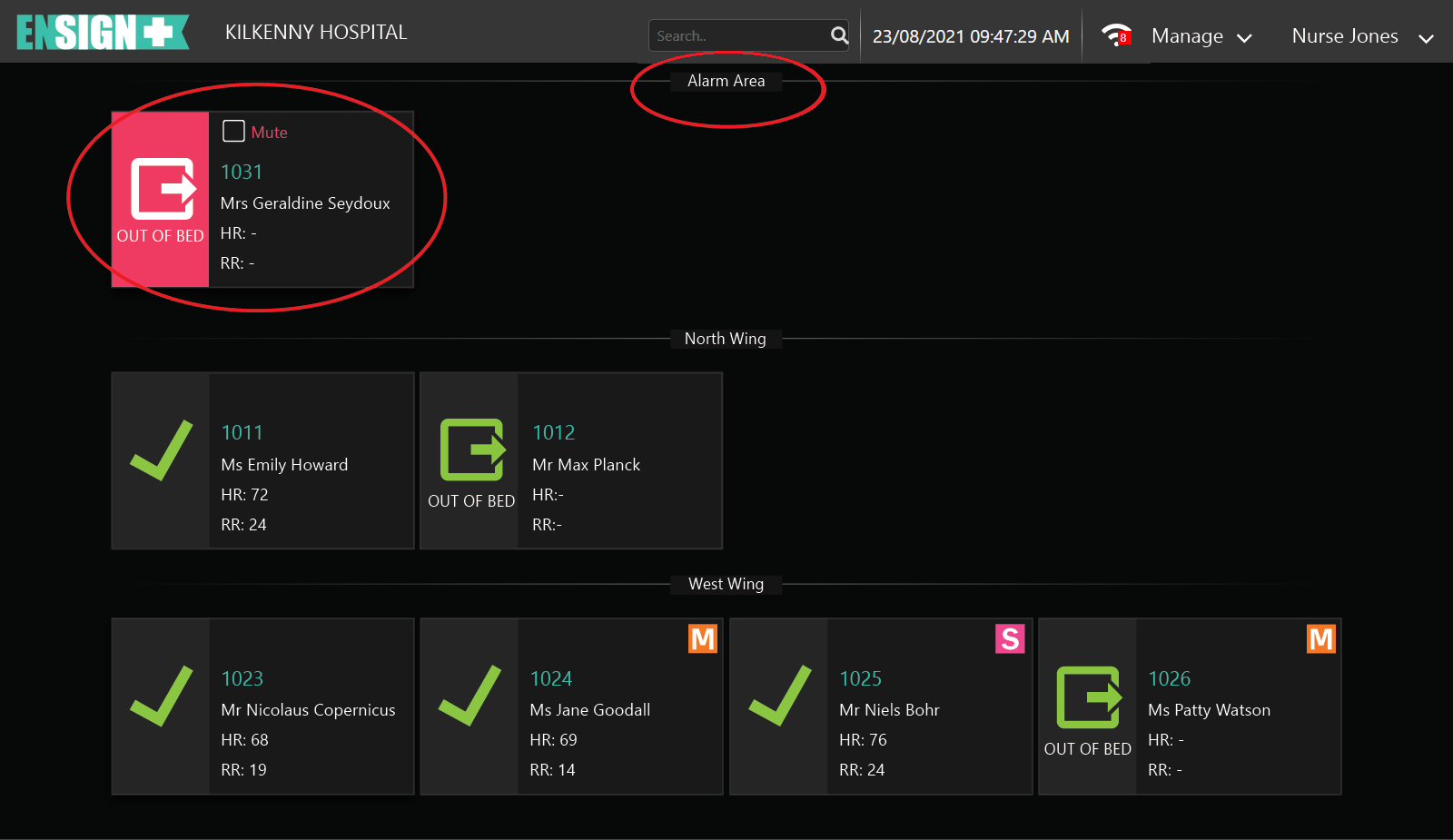
When the Ensign Bed Sensor Pad (BSP) detects an event with the client or the BSP itself, an alarm condition is automatically displayed in the top Alarm Area (circled) of the page.
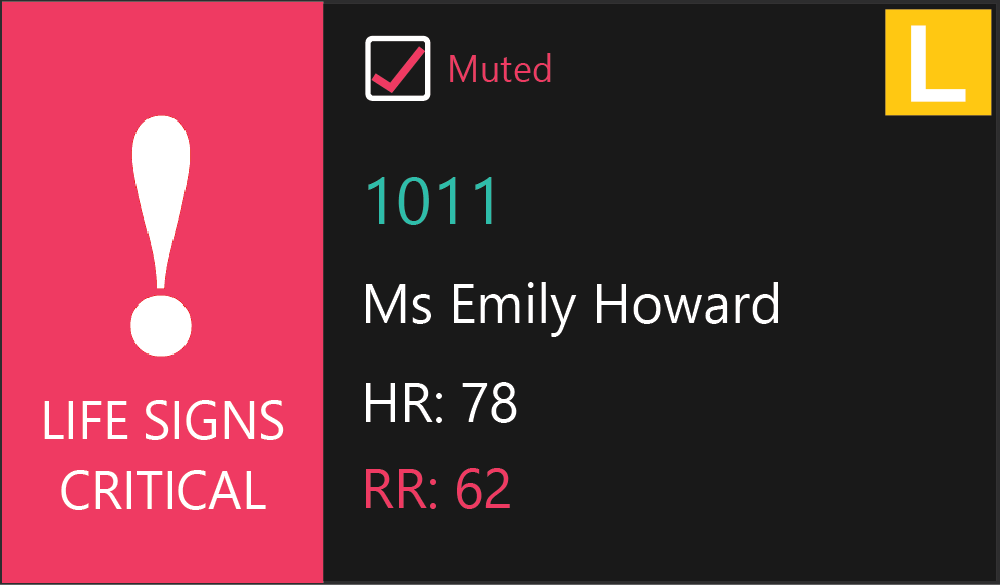
In the event of a Client Alarm / Alert condition, Ensign will generate a visual and audible alarm and the Individual Client Card (ICC) will display the alarm condition (circled). An option to mute the audible alarm will also appear on the ICC. Clicking on the Mute option will silence the audible alarm but will not clear the alarm condition.
When viewing a screen other than the Home Page while Alarms are active, the following message will display at the top of the ENSIGN display:
The carer normally will attend to the Client to investigate the cause of the alarm condition. If a new alarm condition occurs or if there are multiple alarm conditions present, each one can be muted individually.
All the muted alarm sounds will return after 5 and 10 minutes. Additional re-alarm timings may be configured by the the Administrator in Global Settings; if the alarm conditon still present. The exception is the Wi-Fi lost alarm which will remain muted.
A typical ICC with Respiratory Rate Too High alarm condition and the audible sound muted.