2.5.2. Bowel Movement (BM) Notes
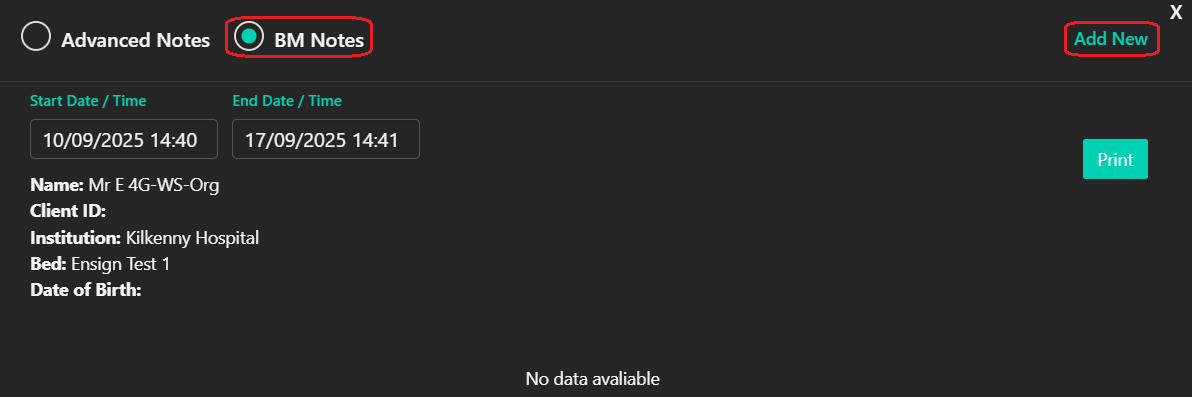
To add a BM Note, select "BM Notes" then click "Add New" (circled).
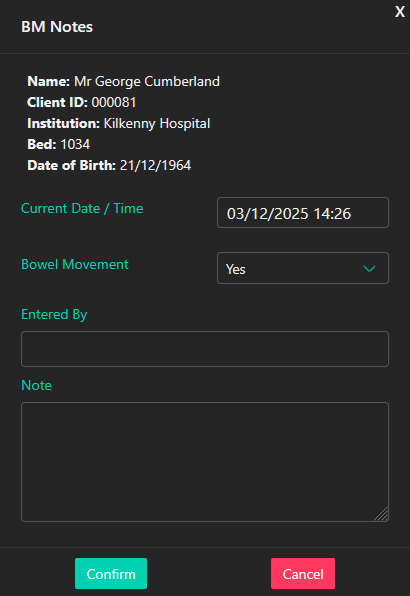
The following screen will display:
Be default the Date/Time box will use the time "Add New" was clicked. Click into the box if a different Date/Time is required.
Click the drop-down box to record whether a Bowel Movement has occurred at this time.
Next, type in the name of how performed the Bowel Movement check.
Fill the final Note box with any other remarks.
Click "Confirm" to save the Bowel Movement Note.