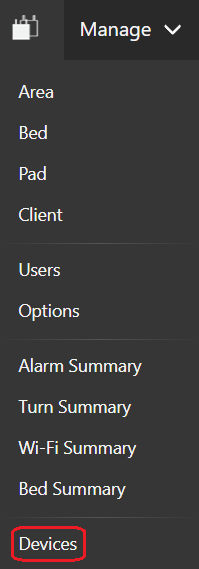
Devices may be connected to a BSP through a cura1 Long Range Call System. To configure such devices, click on the Devices menu item.
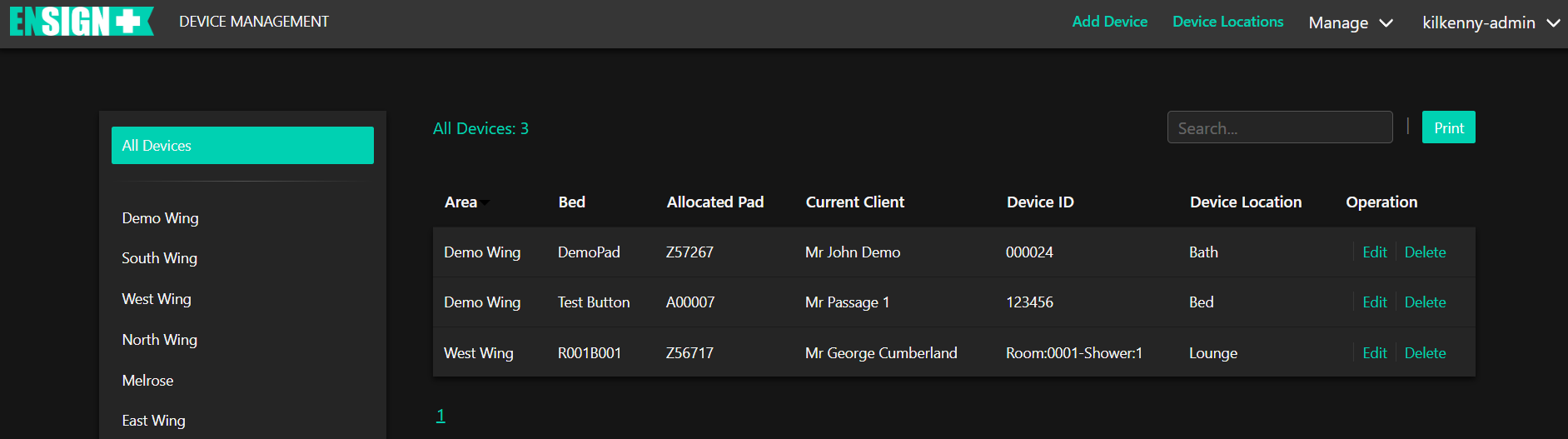
Clicking on the Devices menu item (circled) will display the following page:
By default there will be no devices displayed. To add a device, click "Add Device" (circled).
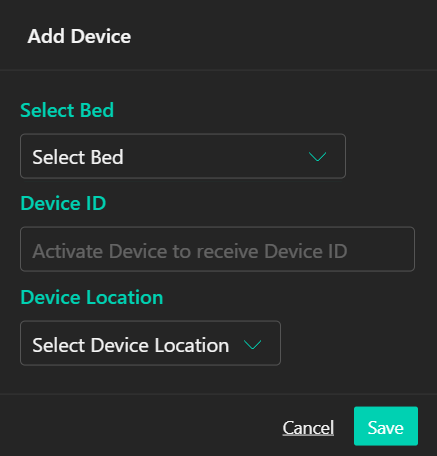
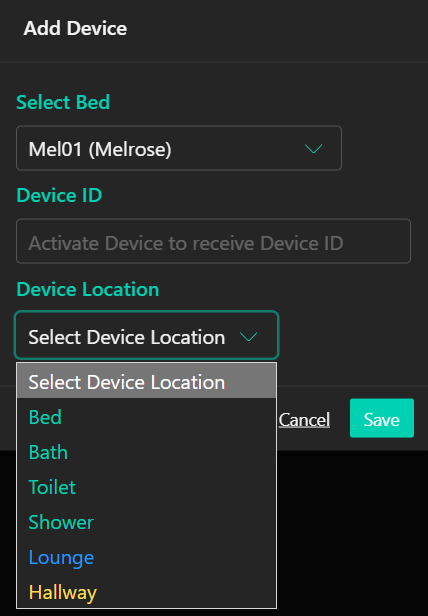
The "Add Device" box will display.
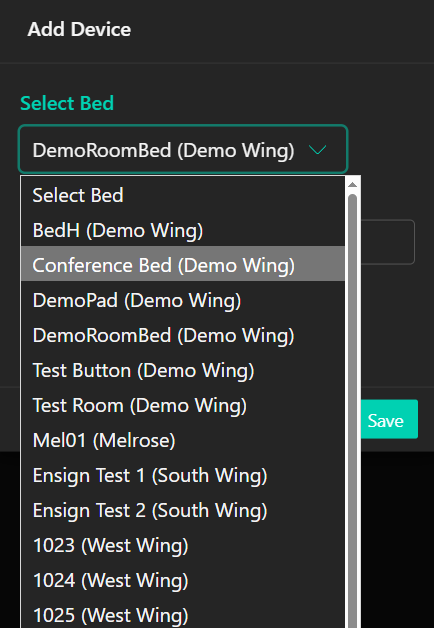
First, select a bed from the drop-down list.
Next, activate the device to pair with the selected BSP. Upon activation, the device ID should display in the second box.
Third, select a Location for the device from the drop-down menu. Bed, Bath, Toilet, Shower are available options by default written in green. Any additional locations currently assigned to another Device will be blue. Multiple devices may be assigned to a location. Any additional locations yet to be assigned to a device will be yellow.
After selecting the Location, click "Save".
To add more Locations, click on "Device Locations" (circled).
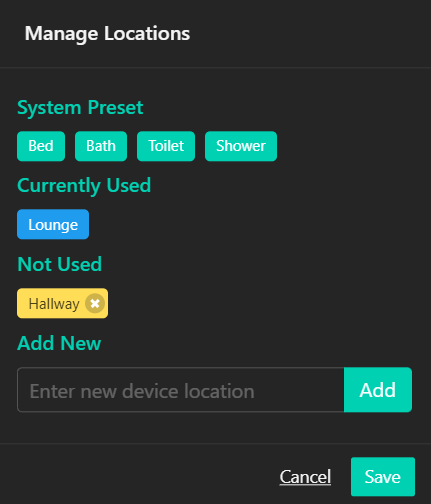
The following menu will display.
"Bed", "Bath", "Toilet" and "Shower" are available by default. To add a new Location, type in the box then click "Add." New Locations yet to be assigned to a Device will be yellow. New Locations assigned will be blue. Only yellow Locations may be deleted.
When finished adding Locations, click "Save".
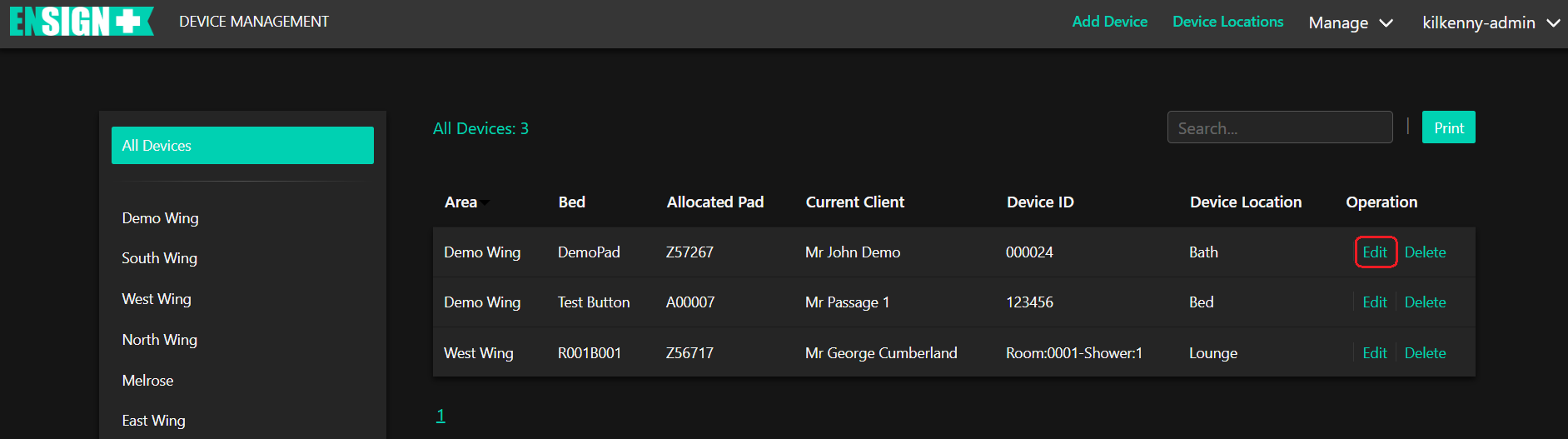
To edit a Device, click on "Edit" (circled).
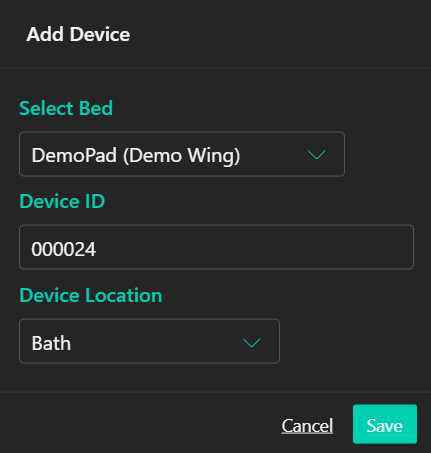
The Edit box uses the same options as adding a Device. Select the bed and Device Location. A device may be assigned to another room if you have moved it.
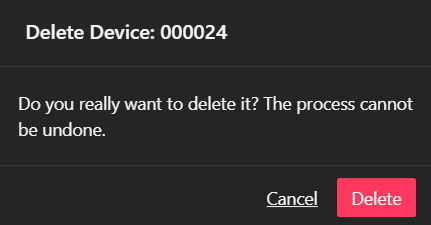
To delete a Device, click on "Delete" (circled).
Confirm you wish to delete the Device by clicking "Delete". If you have changed your mind, click "Cancel".