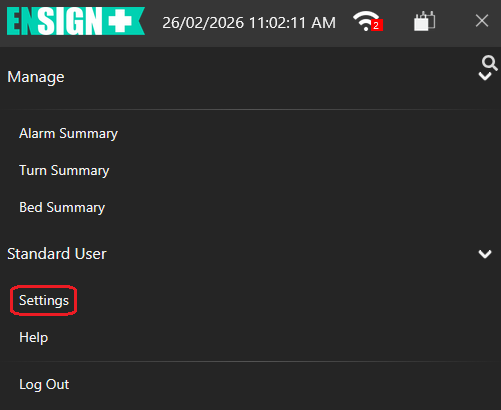
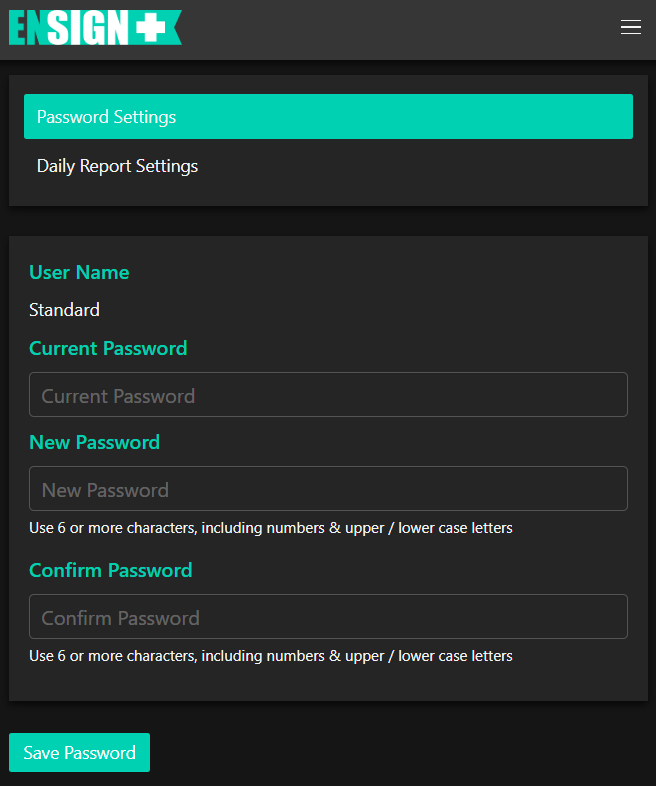
After tapping Settings (circled), the Password Settings screen will display.
The user can change their own password by entering their current password in the Current Password text box and entering the new password in the New Password and Confirm Password text boxes. A password must use 6 or more characters including at least one number, upper case letter and lower case letter.
Tap Save Password to save changes.
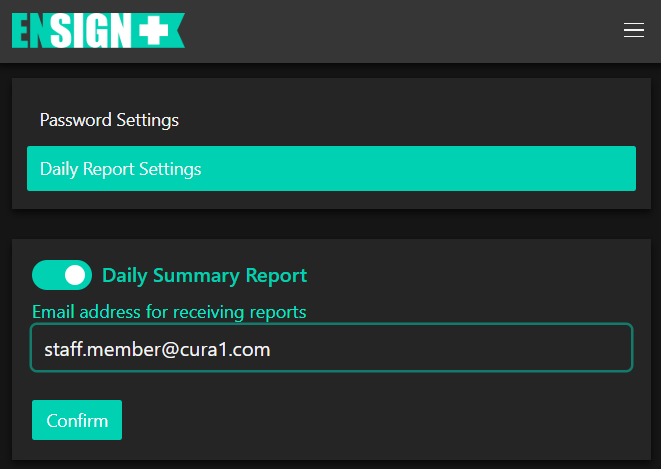
Tap on "Daily Report Settings" to bring up the following screen:
Daily summaries can be sent to any e-mail address. To enable this function, first tap the toggle switch. Next, type in the e-mail address to send Daily Summary Reports to. Finally, tap "Confirm".