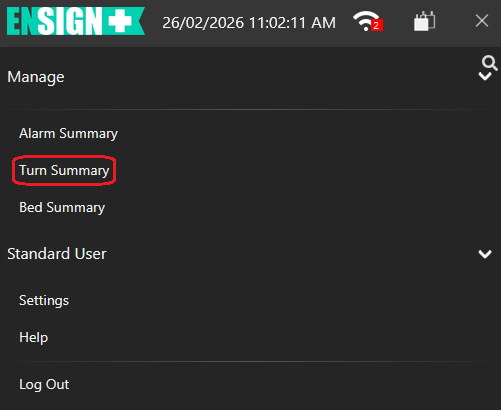
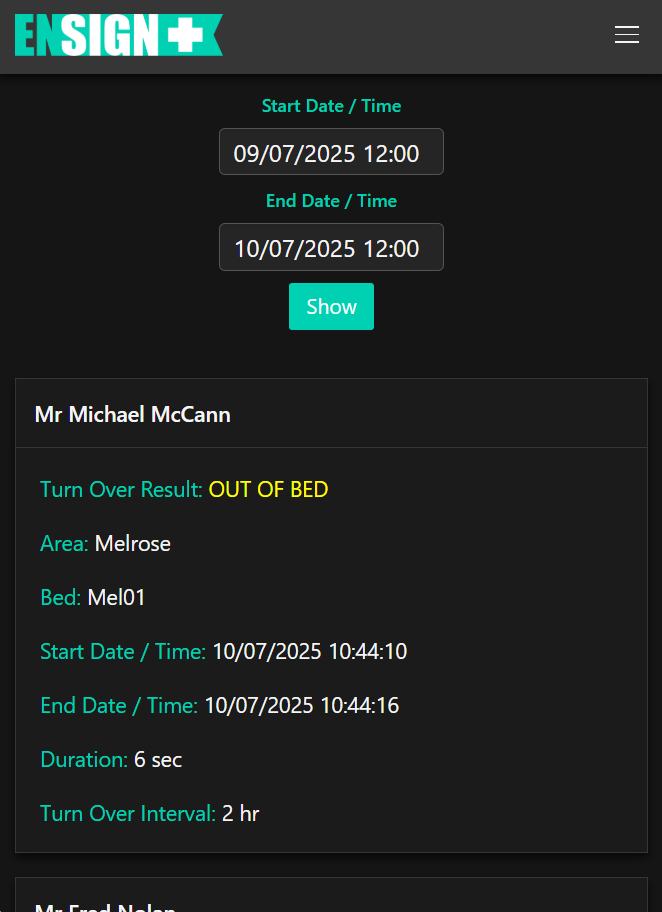
Tapping on Turn Summary (circled) will display the following page:
This page displays a list of all turns detected by the Bed Sensor Pad (BSP). If a client has scheduled times for assisted turn overs then there will be a note for each successful turn. Each Turn Summary displays the following information:
Turn Over Result displays whether the client was turned over or not.
Area displays which area in the facility the Turn was scheduled.
Bed displays which bed the Turn was scheduled for.
Start Date / Time displays the time and date the Turn was scheduled for. All times are listed in 24 hour time.
End Date / Time displays the time and date the Turn was scheduled for. All times are listed in 24 hour time.
Duration displays how long the Turn Over notification was active for.
Turn Over Interval displays how long between each scheduled Turn for this Client and Bed.
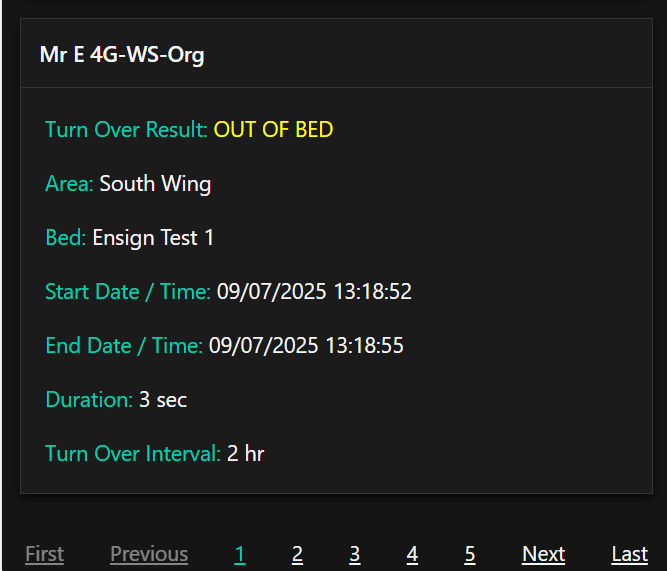
Up to 20 Turn Over summaries are displayed per page. To view previous Turn Over summaries, scroll to the bottom of the page and tap previous page numbers, the Next button for the next page or the Last page for the oldest Turn Over summaries.