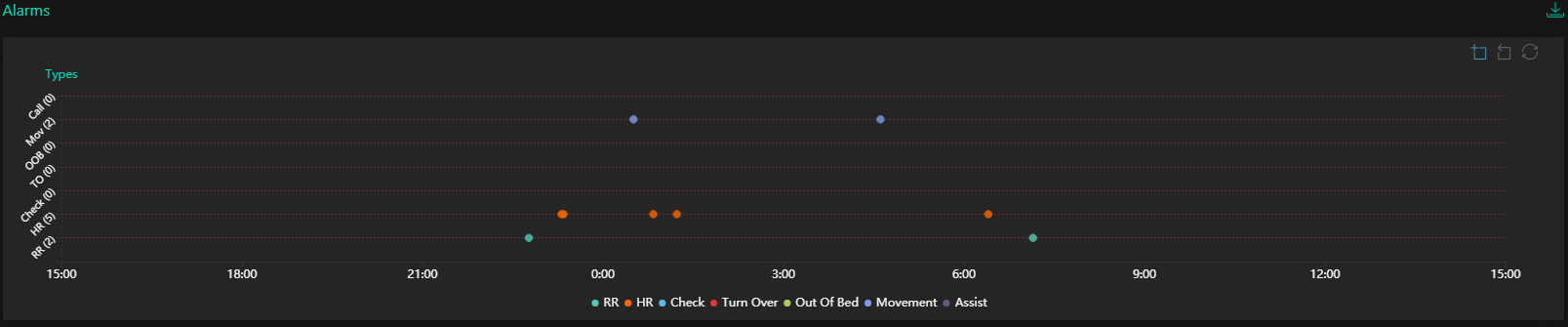
Displays a detailed view of all Alarms for the 24 hour time frame selected. These include:
RR. This represents any time the minimum or maximum Respiratory Rate has been exceeded.
HR. This represents any time the minimum or maximum Heart Rate has been exceeded.
Check. This represents any time a Check alarm has occurred.
Turn Over. This represents any time a scheduled turn over has not been actioned.
Out of Bed. This represents any time the client has left their assigned bed.
Movement. This represents any time the client has moved excessively.
Assist. This represents any time the client has called for a nurse or carer.
Other. This represents any Bowel Movement or LRCS Alarms.
In the top right-hand corner of the graph there is also a Zoom In tool icon which allows the user to zoom into a specific area of the chart. Click on the Zoom In tool icon and then click and drag with the cursor on the area of interest.
To move back one step, click the Zoom Back tool icon.
To restore the normal view, click on the restore icon.
At the top right is this download icon. Click it for a printable PDF copy of this report.